
 November 2, 2026
 SEO, SEO & AI Search
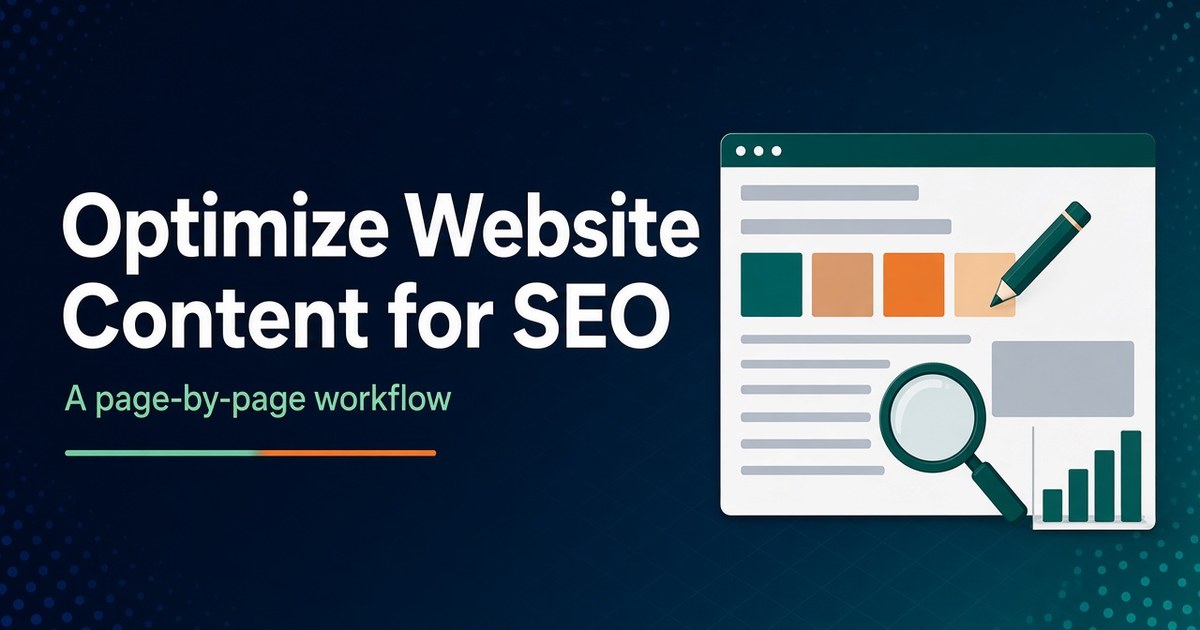
Short answer: To optimize website content for SEO, work one page at a time, in order of opportunity. Use Google Search Console to find pages that already get impressions but underperform. Then check whether each page answers the searches it appears for, rewrite the title and meta description to match, fill the gaps those searches reveal, and tidy headings, images, links and dates. Keep a short change log so you can tell what actually worked. The work is mostly making existing pages clearer and more complete, not technical tricks.
This guide is the hands-on, page-level companion to p4e’s content marketing for SEO strategy guide, which covers what to publish and why. It’s written for small business owners and the people who edit their websites, usually in WordPress. It sticks to what Google documents, notes what changed in 2026, and flags what you can safely ignore. Measuring whether the work paid off is covered in detail in our guide to content marketing ROI.
Optimizing website content for SEO means improving the parts of a page you control, such as its text, title, description, headings, images, links and markup, so search engines can understand it and searchers choose it. It’s usually called on-page SEO. It sits alongside technical SEO (can the page be crawled and indexed?) and off-page SEO (do other sites vouch for you?), which 4GoodHosting covers in its off-page SEO guide.
Google’s own SEO Starter Guide frames the job simply: help search engines understand your content and help users decide to visit. Nothing in this guide is a trick. Each step makes a page more useful or easier to read, and that’s what Google says it is trying to reward.
Start with pages that Google already shows but that searchers don’t choose or that don’t fully satisfy them. Those pages have proven relevance, so small improvements can move them. A brand-new page, or one with no impressions at all, usually needs a different fix (new content, internal links or a technical check) before on-page polish will matter.
Open Search Console’s Performance report, set the date range to the last three months, and click the Pages tab. For each candidate page, click the URL and switch to the Queries tab. That shows the searches the page appears for, with clicks, impressions, click-through rate (CTR) and average position, which is the average position of your topmost result for each query.
Match what you see to the likely fix:
| What Search Console shows | Likely cause | First thing to fix |
|---|---|---|
| Many impressions, CTR well below your other pages at similar positions | The result doesn’t look like the answer | Title and meta description (Steps 2 and 3) |
| Average position on the lower half of page one or on page two, for queries the page is meant to answer | The page partly answers the question | Content gaps and structure (Steps 4 and 5) |
| The page appears for queries it doesn’t address at all | Searchers want something the page lacks | Add a section, or plan a separate page if the intent is different |
| Impressions falling steadily over several months | Content decay or stronger competitors | A planned refresh (see the refresh cycle in the strategy guide) |
| Few or no impressions for a page that’s been live for months | Often discovery, indexing or intent mismatch | URL Inspection and internal links before rewriting |
Compare CTR against your own pages at similar positions, not against an industry average. CTR varies by query type, by device and by what else is on the results page, so a published benchmark rarely tells you much about your page.
Pick three to five pages to start. Working through a few pages properly, and logging what you changed, teaches you more than skimming twenty.
Before you change a word, search the page’s main query yourself, signed out or in a private window, and look at what ranks. The results show the dominant search intent: whether people want a guide, a service page, a comparison, a local business or a quick definition. They also show the format Google rewards for that query, such as a list, a table or a short answer.
If your page is a different type from everything that ranks, for example a sales page competing with how-to guides, rewording won’t fix it. Either change the page’s purpose or target a query where your page type fits. It’s a common reason a well-written page never moves.
Write one sentence that states the page’s job: who it’s for, what question it answers and what the reader should do next. Every later step checks against that sentence.
The title element is the strongest hint you give Google about the headline of your search result, which Google calls the title link. Write a distinct, accurate title for every page, put the main topic near the start, and keep your brand name short.
Google doesn’t always use your title as written. According to its title link documentation, it can draw on several sources, including:
<title> element<h1>og:title meta tagsIn 2021, Google said its systems used the title element as written around 87% of the time, up from around 80% before a change (Google Search Central Blog, 2021). That figure is from 2021, and Google hasn’t published a newer one, but the lesson holds: titles that are empty, repetitive, stuffed with keywords or out of step with the page are the ones most likely to be replaced.
Practical rules, all from Google’s guidance:
An illustrative example, not a real client: a Halifax bookkeeping firm’s service page titled “Services – Smith and Co.” could become “Small Business Bookkeeping in Halifax | Smith and Co.” The new title names the service, the place and the brand, and it matches what searchers typed.
In WordPress, an SEO plugin usually handles the title and meta description fields. 4GoodHosting’s comparison of Yoast SEO, Rank Math and All in One SEO explains what each plugin’s free and paid versions offer if you haven’t picked one yet.
Google has to recrawl and reprocess a page to notice title changes. Its documentation says that can take a few days to a few weeks.
A meta description is a short summary you suggest for the snippet under your title. Google says it builds snippets primarily from the page content, and uses the meta description when it describes the page better than other text (Google Search Central). Write one anyway, because it’s your chance to state the page’s value in your own words.
What Google’s guidance says, in short:
In April 2026, Google added guidance on “Read more” deep links, which are links inside a snippet that jump to a specific section of the page. To make them more likely, Google says to keep content immediately visible (not hidden behind tabs or expandable sections), avoid scripts that force the scroll position on page load, and don’t strip the hash fragment from the URL.
That has a practical implication for small business sites. If your key answers live inside accordions or tabbed panels, consider showing the most important ones as normal text.
Put the answer to the page’s main question in the first paragraph, then use headings to break the rest into clear sections. Searchers scanning on a phone, and search systems pulling out a single passage, both benefit from a page where each section starts with its point.
Practical rules:
Google’s SEO Starter Guide is clear that heading order isn’t a ranking issue: having headings in semantic order is “fantastic for screen readers,” but from Google Search’s perspective it “doesn’t matter if you’re using them out of order.” It also says there’s no ideal number of headings.
Heading order still matters for people who use screen readers. The W3C’s headings tutorial explains how assistive technology uses headings to navigate. That links SEO work to a legal duty in Ontario, covered in the Canadian section below.
Go back to the page’s Queries tab and list the questions it appears for but doesn’t answer. Then add what’s missing: a section, a table, a worked example or a clear definition. This is often where the biggest improvement comes from, because the page becomes a better answer, not just a better-labelled one.
How to do it well:
Also check facts that go stale: prices, opening hours, service areas, staff names, software versions and anything with a year in it. Out-of-date details hurt trust and can be repeated in AI-generated summaries.
Give every meaningful image descriptive alt text, a sensible filename and a place near the text it relates to. Google’s image SEO guidance says alt text helps it understand what an image shows and how it relates to the page. It also warns that stuffing alt text with keywords can make a site look spammy.
img elements in common formats, including JPEG, PNG, WebP, SVG and AVIF.primaryImageOfPage) and the og:image meta tag when picking a page’s thumbnail in Search and Discover. Check which image your SEO plugin outputs as og:image, and make sure it’s one that represents the page.Link to the page from related pages on your site, using anchor text that describes the destination. Internal links help Google discover pages and understand what they’re about, and they help visitors find the next useful page.
Google’s link best practices ask for crawlable links (standard <a> elements with an href) and anchor text that is descriptive, reasonably concise and relevant to the target page. “Click here” and “read more” tell neither readers nor search engines what’s on the other side.
A quick routine for each optimized page:
Don’t change an established URL just to add a keyword. Google’s starter guide says keywords in the domain or URL path “have hardly any effect beyond appearing in breadcrumbs.” Changing a URL means setting up a redirect and waiting for Google to process the move, for little benefit.
For new pages, keep URLs short, readable and descriptive. Google’s URL structure guidance, updated in October 2026, recommends hyphens rather than underscores to separate words, because hyphens clearly mark word boundaries.
If you do have to change a URL, use a permanent (301) redirect from the old address, update your internal links, and check that the old URL isn’t still in your sitemap.
Add structured data only where it describes what’s actually on the page and supports a search feature Google still offers. It isn’t needed for rankings or for AI features. Google’s May 2026 AI optimization guide says structured data “isn’t required for generative AI search” and there’s no special markup to add, though it still helps with eligibility for rich results.
Two changes catch many small business sites out:
Types still listed in Google’s search gallery that matter to many small businesses include Local business, Organization, Article, Breadcrumb, Product, Review snippet and Video. Whatever you add must match visible content. Google’s structured data policies don’t allow markup describing content users can’t see.
Unused structured data doesn’t harm a page, so there’s no rush to strip old FAQ markup. Just don’t spend time adding more. p4e’s guide on how to get cited by AI covers how structure and evidence affect AI citations in more depth.
Show a visible “Published” or “Last updated” date on articles and guides, and only change it when the content has changed substantially. Google’s byline date guidance asks for a prominent, clearly labelled visible date, and recommends adding datePublished and dateModified in Article-type structured data.
Its helpful content guidance is blunt about the shortcut. It lists “changing the date of pages to make them seem fresh when the content has not substantially changed” as a warning sign. Updating a price or fixing a typo doesn’t justify a new date. Rewriting a section with current information does.
Add a short author line or bio that shows real experience, such as a licence, years in the trade or the role of the person who wrote it. Never invent credentials or reviews.
Two Canadian rules affect on-page work directly: French-language requirements for businesses selling in Quebec, and accessibility requirements for larger Ontario organizations. Neither is an SEO rule, but both shape what a page must contain, and getting them right also tends to make pages clearer.
If your business sells to customers in Quebec, Quebec’s French-language regulator, the OQLF, says consumers are entitled to a complete French version of a business’s website, under section 52 of the Charter of the French Language (OQLF, in French). Check the details and exceptions with the OQLF or a lawyer. This isn’t legal advice.
For SEO, treat each language version as its own optimized page:
lang attribute to detect a page’s language. Its algorithms work that out from the content.Since January 1, 2021, Ontario’s Accessibility for Ontarians with Disabilities Act (AODA) has required designated public sector organizations, and businesses and non-profits with 50 or more employees, to make public websites meet WCAG 2.0 Level AA. Exceptions are live captions and pre-recorded audio descriptions, and the rule covers content published after January 1, 2012 (Government of Ontario).
Several on-page tasks above are also accessibility tasks: alt text for meaningful images, headings in a logical order, descriptive link text and visible content. Smaller businesses aren’t covered by that rule, but the same habits make pages easier for everyone to use.
Several common on-page tips don’t hold up against Google’s own documentation. Skipping them frees time for the steps that matter.
| Common advice | What Google says |
|---|---|
| Add a meta keywords tag | “Google Search doesn’t use the keywords meta tag” (SEO Starter Guide) |
| Hit a target word count | “There’s no magical word count target, minimum or maximum” (SEO Starter Guide) |
| Use exactly one H1 and strict heading order for rankings | Heading order “doesn’t matter” for Search, though it helps screen readers (SEO Starter Guide) |
| Optimize for E-E-A-T as a ranking factor | “Thinking E-E-A-T is a ranking factor: No, it’s not” (SEO Starter Guide). It’s a way to think about trust, not a score |
| Add an llms.txt file for AI search | Google Search ignores it, and it neither helps nor harms (AI optimization guide) |
| Break content into tiny chunks for AI | “There’s no requirement to break your content into tiny pieces” (AI optimization guide) |
| Chase “LSI keywords” | Google’s documentation doesn’t use the term. Write naturally and cover the topic fully |
| Get an SEO plugin score to green | Plugin scores are the plugin’s own checks. Google says third-party tools don’t have access to its ranking data (Google’s third-party SEO guidance) |
Plugin checks are still useful as reminders, for example to flag a missing meta description. Just don’t rewrite a clear sentence into an awkward one because a traffic light turned orange.
Log every change, wait for Google to recrawl, then compare the page’s Search Console data for equal periods before and after. Without a log, you can’t tell whether a ranking change came from your edit, a Google update or the season.
Title and description changes tend to show up in CTR. Content additions tend to show up as new queries and better positions for existing ones. To turn those signals into business value, such as enquiries and their worth, use the scorecard in our content marketing ROI guide.
On-page work only pays off if Google can reliably reach the page. If Search Console’s Page indexing report shows server errors (5xx), or the URL Inspection tool can’t fetch a page, fix that before rewriting anything, because Google can’t reward changes it can’t crawl. Slow, overloaded hosting can also undermine the user experience the content is meant to deliver.
If you run an online store, product pages need their own approach to titles, descriptions, images and structured data. 4GoodHosting’s product page SEO guide goes through it in detail.
If you’d rather not do this work yourself, 4GoodHosting offers SEO services built around a tailored strategy, local search expertise and weekly reporting. The team asks about your website, audience and goals to prepare a quote for an agreed scope of work. As 4GoodHosting’s own page says, rankings depend on many factors and can’t be promised for a particular position. Treat any provider that does promise a position with caution.
Google has to recrawl the page first, which its documentation says can take a few days to a few weeks. After that, give each change several weeks of data before judging it. Title changes can show up in CTR fairly quickly. Content additions usually take longer to show in rankings.
Google sets no length limit for either, but it truncates both to fit the device width. Put the most important words first. Make sure the title and the first sentence of the description still make sense if the rest is cut off.
Google builds title links from several sources, including your title element, main heading, prominent text and anchor text. It’s most likely to replace titles that are empty, repetitive, boilerplate or stuffed with keywords, or that don’t match the page. Make the title element and the main visible heading agree, and keep both specific.
There’s no need to rush. Google stopped showing FAQ rich results from May 7, 2026, and unused structured data doesn’t harm a page. Keep the visible FAQ section if it helps readers, but don’t add new FAQ markup expecting an enhanced result.
Mostly, yes. Google says SEO best practices remain relevant for AI Overviews and AI Mode, with no additional requirements or special optimizations needed (Google Search Central). Clear answers, accurate facts, visible content and real expertise help both. Google’s guide says special AI files and chunking aren’t needed.
If you sell to customers in Quebec, the OQLF says they are entitled to a complete French version of your website. Check how the rules apply to your business with the OQLF or a lawyer. For SEO, optimize each language version as its own page and connect them with hreflang.
About the author: This article was written by the team at 4GoodHosting, a Canadian web hosting company operating since 2002 with servers in Vancouver and Toronto.
 November 3, 2026Canadian Hosting
 November 2, 2026Business, Ecommerce
 November 2, 2026Hosting, Managed WordPress Hosting Canada, WordPress
 November 2, 2026Business, SEO
 November 2, 2026Hosting, Security & Compliance, WordPress
 November 2, 2026Business, WordPress