
 October 30, 2026
 Business, SEO, SEO & AI Search
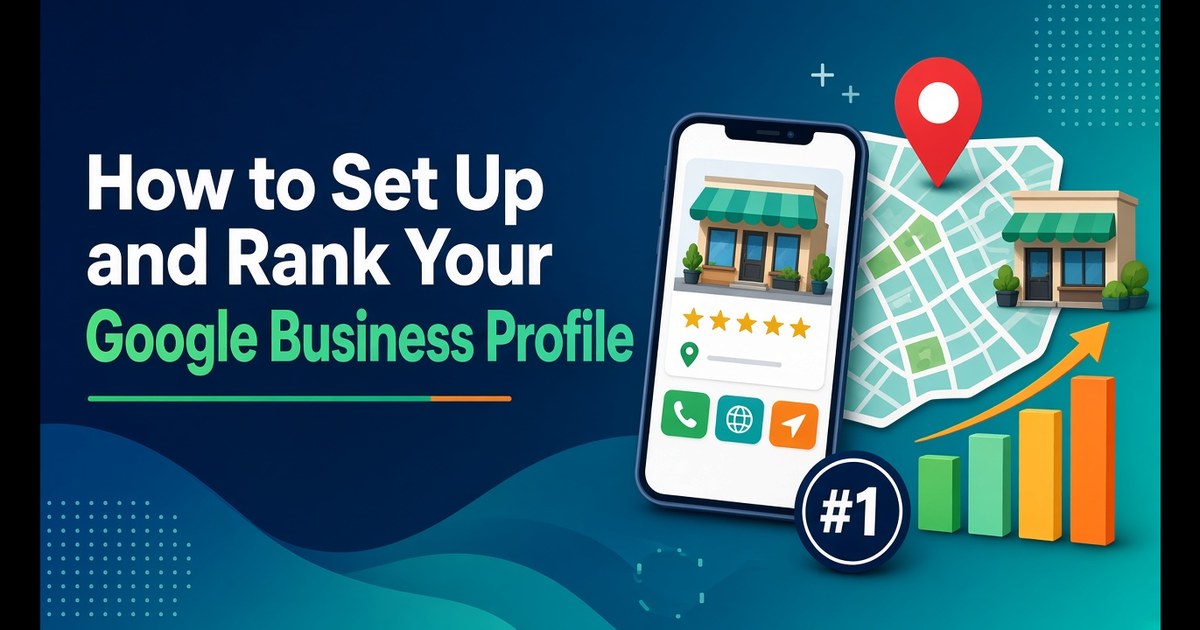
Short answer: To set up a Google Business Profile, add or claim your business at business.google.com/add. Then complete the verification method Google gives you, which is usually a phone or text code, an email, a live video call or a short video recording. Next, fill in your real business name, one precise primary category, your address or service area, hours, phone, website and a description of up to 750 characters. To rank, focus on the three things Google says it uses: relevance (a complete, accurate profile), distance (you can’t change it, but your address and service area must be honest) and prominence (genuine reviews, links and mentions across the web). You can’t pay Google for a better local ranking.
A Google Business Profile is the free listing that appears in Google Maps and in the local section of Google Search. For most Canadian small businesses, it gets seen more often than their website does. It’s also one of the easiest places to lose customers quietly through wrong hours, a vague category or a stale photo.
This guide covers setup and ranking as things stand in late 2026. Each rule, limit and policy below was checked against Google’s support documentation in October 2026 and links to the page it came from. Several popular tips from older guides no longer work, so we’ve flagged where things have changed.
When someone searches with local intent, like “plumber near me”, “bookkeeper Burnaby” or “pho open now”, Google often shows map-based local results above or alongside the regular web links. Those results come from Business Profiles. Each listing can show your hours, phone number, directions, photos, reviews and a website button, so people can choose you without ever opening your site.
Three changes since 2024 make many older guides out of date:
| Change | What happened | What it means for you |
|---|---|---|
| Free Business Profile websites ended | Google turned off the business.site websites in March 2024 and redirected visitors to profiles only until June 10, 2024, as CBC News reported | If your “website” was a business.site page, it’s gone. Your profile now needs a real website to link to |
| Chat was switched off | Google stopped new chats on July 15, 2024 and ended chat on July 31, 2024 | Advice to “turn on messaging” is out of date. Customers call, book or visit your site instead |
| Q&A is being replaced by “Ask” | Google announced on December 3, 2025 that customers can ask questions directly in Maps and get an instant answer built from your answers and relevant reviews. The My Business Q&A API was discontinued on November 3, 2025 | “Seed your own Q&A” no longer works as a tactic. Your answers to existing questions and your reviews now feed the AI answers |
The practical result is that your profile and your website now work as a pair. The profile wins the click, and the website has to back up what the profile claims.
Google’s local ranking help page is short, and worth reading in full. It says local results are “mainly based on relevance, distance, and popularity”, then explains those factors under the headings Relevance, Distance and Prominence. Read “popularity” and “prominence” as the same idea: how well-known your business is, both online and off.
Relevance is how well your profile matches the search. Relevance also depends on how complete your profile is: Google says businesses with complete and accurate information are more likely to appear in local results. It also says your profile might not show for relevant searches if your details are wrong. Google’s category help page says outright that the categories you select affect your local ranking.
Distance is how far you are from the person searching. If they haven’t shared their location, Google uses what it knows about where they are. You can’t optimise distance. What you can do is make sure your address or service area is accurate, so Google doesn’t place you in the wrong part of town.
Prominence covers how many websites link to your business, how many reviews you have and how positive those ratings are. Google says that “more reviews and positive ratings can help” your local ranking.
Google also says plainly that you can’t request or pay for a better local ranking. Google Ads can buy a sponsored placement, which is labelled as such and is a separate thing from the organic local results.
Google doesn’t publish factor weights, so the best outside evidence is expert surveys. Whitespark, a Canadian local SEO company based in Edmonton, publishes the long-running Local Search Ranking Factors survey. The 2026 edition was published on November 6, 2025. In it, 47 local search specialists scored 187 factors. For local pack and Maps rankings, their top five were:
Whitespark itself notes that none of these experts has special access to Google’s algorithm, so read the list as informed opinion rather than Google data. It still lines up well with Google’s own three factors.
There’s one trap in this list. “Keywords in the business name” helps only when the keyword really is part of your name. Google’s representation guidelines say your name must match your real-world name, the one on your storefront, website and stationery. Adding extra information to the name field can get your profile suspended. If you’re “Harbourline Plumbing”, that’s your name. “Harbourline Plumbing Best Emergency Plumber Burnaby” breaks the rules, however well it might rank for a few weeks.
Your business type decides which address rules apply. Getting it wrong is one of the most common reasons a profile fails verification or gets suspended later.
Google’s service-area help page lets you list up to 20 service areas by city, postal code or region. It says the overall area shouldn’t extend beyond about two hours’ drive from your base. Service areas can no longer be set as a radius. If you set one up that way years ago, you’ll need to replace it with named areas before you can edit it. Approved edits can take up to 48 hours to appear.
Three eligibility rules catch many new businesses:
For a worked example of a service-area trade, 4GoodHosting has a guide to local SEO for a plumbing business that walks through the profile, the website and reviews together.
First, check whether a profile already exists. A listing may already be on Maps even if you never created one.
Google’s add-or-claim page covers each path. Choose the business type you settled on above as you go through setup, because it decides whether your address is shown.
Verification proves you’re allowed to manage the business. Your photos and much of your profile content only appear publicly once you’re verified. Google’s verification page lists the current methods:
| Method | How it works | Watch out for |
|---|---|---|
| Phone or text | A code by call or SMS to your business number | Automated phone menus (IVR) can’t receive the code. Someone has to answer |
| A code sent to a business email | Use an address you check | |
| Live video call | Show your location and proof of ownership to a Google support rep | Only available during business hours |
| Video recording | Record a continuous clip on your phone and upload it | Review can take up to 5 business days |
| Mail (postcard) | A code mailed to your business address | Not offered to every business. Most codes arrive within 14 days |
Google picks which methods you’re offered, so you can’t choose freely. You might be asked to complete more than one. If video verification is offered, Google recommends using it.
If you get video recording, plan the shot before you press record. Google’s video verification page says the clip must be:
It needs to show three things: where you are (street signs or nearby businesses), that the business is real (signage matching your profile name, equipment, stock or branded vehicles), and that you manage it (opening the till, unlocking the premises or using business tools). Keep faces, bank details and other sensitive information out of frame. A home-based service business can film nearby landmarks to show its location. It doesn’t need to film inside the house.
If you get a postcard, don’t edit your business name, address or category while you wait, and don’t request a second code. Both make the first code stop working.
Most businesses lose relevance here. Complete each field carefully.
Use your real-world name exactly as customers see it. Don’t add taglines, locations or keywords that aren’t part of your legal or trading name.
Your primary category is the strongest relevance signal you control. Google’s guidelines give a simple test: choose categories that complete the sentence “This business is a…”, not “This business has a…”. Choose the most specific option. Google’s example is “Nail salon” rather than “Salon”. Use the fewest categories that describe your core business. A grocery store with a bakery and deli might pick “Grocery store” as its primary category, with “Bakery” and “Deli” as additional ones. You can’t create your own category. If the exact match doesn’t exist, choose the closest general one.
When choosing a primary category, search your main service in Google Maps and note the primary categories of the top three competitors in your area. If they all use something more specific than you do, that’s often the quickest fix available.
Use the format Canada Post would accept, with the suite number in Address Line 2. Don’t put URLs or keywords in the address lines.
Being open at the time of the search was a top-five factor in the Whitespark survey, and wrong hours send customers to a locked door. Set your regular hours, then add special hours for statutory holidays. These differ by province, so a Family Day closure in Ontario doesn’t apply in Quebec. Update them before each long weekend, not after.
Use a local number that a person answers. Your profile’s call metric only counts clicks on the call button, so a number that rings through to voicemail costs you more than it seems.
Link to the most relevant page, usually your homepage for a single location or a location page for a multi-location business. Add UTM parameters so the visits show up separately in Google Analytics rather than blending into “google / organic”. Google’s Analytics URL builder guidance explains the parameters. A typical tagged link looks like this:
https://example.ca/?utm_source=google&utm_medium=organic&utm_campaign=gbp-listing
Once you can see those visits, you can judge whether the page they land on actually turns them into calls and bookings. Our guide to improving your website’s conversion rate covers that next step.
The description field allows up to 750 characters. No links or HTML are allowed, and Google’s description guidelines ask you to describe the business itself, not promotions, prices or sales. Edits usually go live within about 10 minutes but can take up to 30 days to review. Google now offers an AI-generated description option. Treat what it suggests as a first draft and check every claim before publishing.
A pattern that works: say what you are and where, what you do in specific terms, what makes you different (with something checkable), and how people can work with you. Here’s a fictional example, about 600 characters:
Harbourline Plumbing is a licensed residential plumbing company based in Burnaby, serving homeowners across Burnaby, New Westminster and East Vancouver since 2014. We repair leaks and burst pipes, replace hot water tanks and tankless heaters, clear blocked drains with camera inspection, and handle bathroom and kitchen rough-ins for renovations. Every job is done by our own Red Seal certified plumbers, not subcontractors, and we give a written quote before work starts. We work evenings and weekends by appointment. Ask about our service for strata buildings and older homes with galvanized pipes.
There’s no price, no “best in town” and no link, just specifics a customer can check.
Add every attribute that applies, such as accessibility features, payment options and identity attributes. Then list your main services with short plain descriptions. These fields cost nothing, and each one gives Google another precise match for what people search.
Photos help in two ways. Google’s local ranking page lists adding photos and videos as a tip, and they’re often what persuades a searcher to pick you over the next listing.
Google’s photo guidance sets out the technical standards on its photos and videos help page:
| Photos | Videos | |
|---|---|---|
| Format | JPG or PNG | Not specified on the page |
| File size | 10 KB to 5 MB | Up to 75 MB |
| Resolution | 720 × 720 px recommended, 250 × 250 px minimum | 720p or higher |
| Length | n/a | Up to 30 seconds |
| Quality | In focus, well lit, no significant alterations or heavy filters | No separate standard listed |
Google says the image “should represent reality”. Over-edited, stock or AI-generated scenes work against you. You can set a logo and a cover photo, though Google notes that the cover photo isn’t guaranteed to show first.
A practical first upload set:
Then add a few new photos each month. Seasonal stock, a new hire or a finished project is enough. A steady flow of recent, real images shows the business is still active.
Reviews feed prominence directly, and they’re where most profiles get into policy trouble. Google’s Maps user-generated content policy is stricter than many owners realise. Merchants may not:
The fourth point rules out a tactic many SEO guides still recommend: asking customers to mention your service and city in their review. Google’s policy says you can ask for a review, but not tell people what to write.
The penalties go beyond deleting the fake reviews. Google’s restrictions page says a profile can be blocked from receiving new reviews for a period, have its existing reviews hidden, or show customers a warning that fake reviews were removed. Owners are notified by email and can appeal.
In Canada, it’s also a legal issue. On January 18, 2024, the Competition Bureau warned businesses that employees must disclose their connection when reviewing their employer or its competitors, even when giving an honest opinion. It also said anyone who writes or permits misleading reviews could be liable under the Competition Act. The Bureau recommends training staff and having a compliance program to stop and detect misleading reviews.
What you can do, and should:
Google’s own review tips note that a mix of positive and negative feedback often looks more trustworthy than a perfect score.
Posts let you share updates, offers and events. They appear in the Updates or Overview tabs of your profile on Search and Maps. Google reviews them against its content policy, and a post marked “Not approved” won’t show. Keep them professional, avoid filler and only link to websites you trust. Google doesn’t say how often to post. A monthly rhythm tied to real news, like a seasonal service, a holiday schedule or a new product line, is easy to keep up and keeps your profile current.
With Q&A being replaced by “Ask”, the old trick of posting and answering your own questions is gone. Do two things instead:
Your profile can only rank and convert as well as the information behind it. Since Google closed its free profile websites, every business needs a site of its own. If you’re starting from scratch, a template-based tool such as 4GoodHosting’s website builder lets you start from a ready-made design and edit it online, without hiring a developer. Our guide to starting a business website walks through the planning.
Then link the two together:
A minimal structured data example for a fictional business:
{
  "@context": "https://schema.org",
  "@type": "Plumber",
  "name": "Harbourline Plumbing",
  "url": "https://example.ca/",
  "telephone": "+1-604-555-0100",
  "address": {
    "@type": "PostalAddress",
    "addressLocality": "Burnaby",
    "addressRegion": "BC",
    "addressCountry": "CA"
  },
  "areaServed": ["Burnaby", "New Westminster", "Vancouver"],
  "openingHoursSpecification": [{
    "@type": "OpeningHoursSpecification",
    "dayOfWeek": ["Monday", "Tuesday", "Wednesday", "Thursday", "Friday"],
    "opens": "08:00",
    "closes": "18:00"
  }]
}
Test any markup with Google’s Rich Results Test before you publish it.
Links count toward prominence too. Local chambers of commerce, business improvement associations, suppliers, sponsors and local news coverage are all genuine sources of links. For a view of how all of this ties into wider search strategy on a small budget, see our post on SEO for Canadian startups.
Your profile’s performance report is useful as long as you know what each number really counts. It includes activity from both organic results and Google Ads.
| Metric | What it really counts | What to do with it |
|---|---|---|
| Searches | The search terms that showed your profile. Updated monthly, and can take up to 5 days to appear | Check the terms against your category and services. Missing terms point to relevance gaps |
| Views | Unique people who viewed your profile, each counted once a day | Track the trend, not single days |
| Calls | Clicks on the call button, not completed calls | Compare with your phone records to find missed calls |
| Directions | Direction requests, after removing repeat taps, cancellations and spam | A rough signal of intent to visit |
| Website clicks | Clicks on your website link | Compare with your UTM-tagged sessions in Analytics |
| Bookings | Completed bookings through a connected booking provider | Only shown if you use a supported provider |
Check it monthly. If views rise but calls and clicks don’t, the profile is being seen but not chosen, so look at photos, reviews and hours. If views fall, look at relevance (categories, services) and anything that changed, such as a moved address or a suspended profile.
| When | Do this |
|---|---|
| Day 1 | Decide your business type, claim or create the profile, start verification |
| Days 2 to 7 | Complete verification. Don’t change your name, address or category while a postcard is on its way |
| Week 2 | Primary and additional categories, hours and holiday hours, phone, UTM-tagged website link, a 750-character description, attributes, services |
| Week 2 | Upload logo, cover, exterior, interior, team and work photos, plus a short video |
| Week 3 | Set up a review link or QR code, and send it to every recent customer |
| Week 3 | Check your name, address and phone on your website and main directories. Add LocalBusiness markup |
| Week 4 | Publish your first post, answer any existing questions, add an FAQ to your website |
| Day 30 | Read the performance report, check your tagged visits in Analytics, and pick next month’s fix |
Google’s guidance on AI features says there are no extra requirements or special optimisations needed to appear in AI Overviews or AI Mode. Normal SEO best practice applies. For local businesses, “Ask” in Maps raises the importance of accurate profile details, good answers and genuine reviews, because that’s what the AI answers draw on. AI assistants outside Google draw on similar public signals. To go further, see our guides on how ChatGPT picks Canadian businesses to recommend and how to get cited by AI.
Yes. Creating, verifying and managing a profile costs nothing. Google says you can’t pay for a better local ranking. Google Ads can buy a labelled sponsored placement, which is separate from the organic local results.
It depends on the method Google offers you. Phone, text and email send you a code to enter, a video recording can take up to 5 business days to review, and postcards usually arrive within 14 days. Google decides which methods you’re offered.
Yes, if you meet customers in person, either at your home or at their location. Most home-based businesses should set up as service-area businesses and hide the home address. A virtual office or mailbox address isn’t eligible.
As few as it takes to describe your core business. Pick the most specific primary category that completes “This business is a…”, then add a small number of additional categories for real departments or services.
No. Google’s Maps content policy doesn’t allow merchants to request specific content in reviews. You can ask every customer for an honest review, but not tell them what to write.
Chat ended on July 31, 2024. Q&A is being replaced by “Ask” in Google Maps, which gives instant answers based on your business’s answers and relevant reviews. You can still answer existing questions in your profile’s Q&A section.
About the author: This article was written by the team at 4GoodHosting, a Canadian-owned web hosting company operating since 2002 with data centres in Vancouver and Toronto. This article is a guest contribution to P4 Emachines.
 November 3, 2026Canadian Hosting
 November 2, 2026Business, Ecommerce
 November 2, 2026Hosting, Managed WordPress Hosting Canada, WordPress
 November 2, 2026Business, SEO
 November 2, 2026Hosting, Security & Compliance, WordPress
 November 2, 2026Business, WordPress